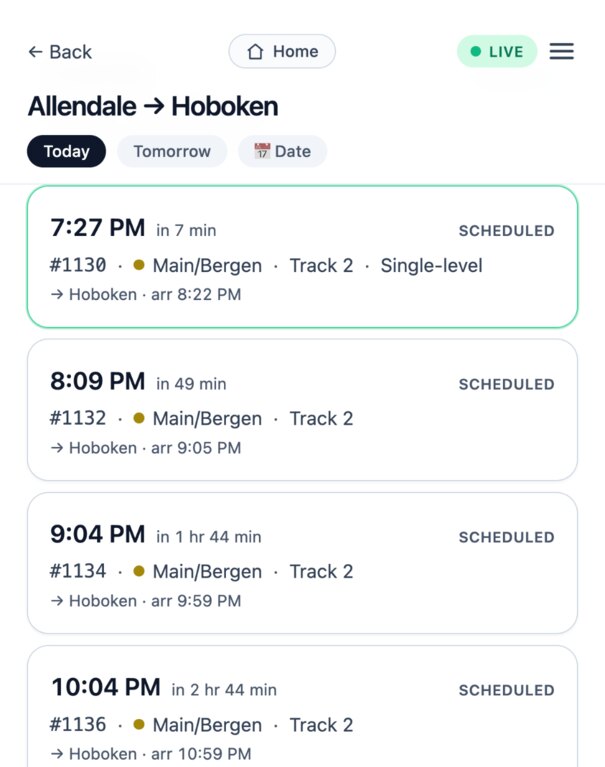
I wanted to see exactly where my train is on the line.
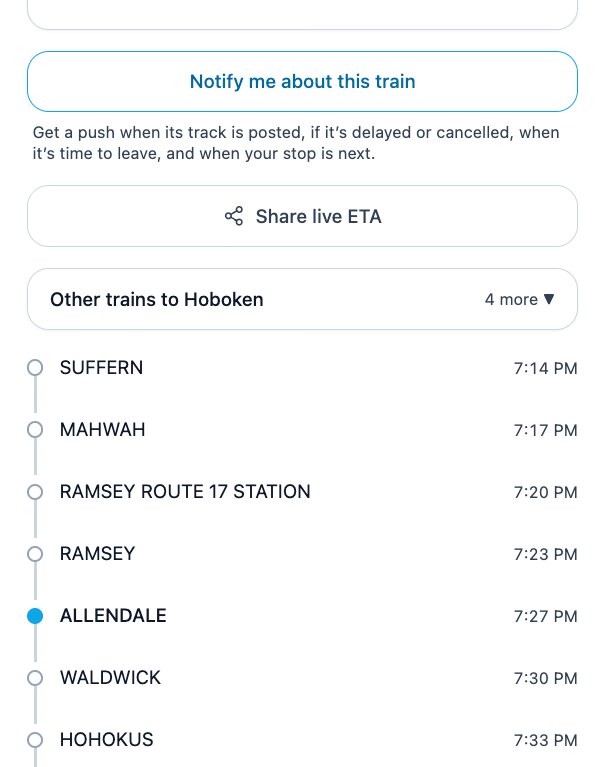
See your train's real position, stop by stop, as it moves — including when it's standing at a platform rather than between two.
Live tracking, real delays, whole-station boards, trips with a change — and a nudge when it's time to leave the house. In a clean little app that just works, and it's free.
Just your email. No password, no app store, no catch.
I moved to Jersey and suddenly I was riding NJ Transit all the time. The official app just never quite clicked for how I ride — I'd be squinting on a cold platform trying to figure out if my train was late and which track it was on.
So one weekend I built something that worked the way I wanted, with my AI pal. Something that opens instantly, shows me exactly what I need, and pings me when my train's running late. My wife and I ended up using it every single day.
It got good enough that keeping it to ourselves felt a little selfish. So here it is — free, for any NJ Transit commuter who wants a calmer ride.
— Max, a fellow NJ Transit commuter
Here's what I kept wishing for on the platform every morning — and what RailDash does about it.
I wanted to see exactly where my train is on the line.
See your train's real position, stop by stop, as it moves — including when it's standing at a platform rather than between two.
I wanted my track as early as possible — not a last-second scramble.
Your departure track sits right in the train list — and we'll ping you the moment it's posted. Walk over early; skip the sprint.
I wanted just my next train, front and center.
Your next train is front and center, and a late or boarding train stays put until it actually pulls out — not when the clock says it should have.
Once aboard, I wanted to see which stops were coming up.
Full stop-by-stop route, the train's live GPS position on it, and your stop highlighted.
I wanted delays and cancellations the moment they happen.
Live delays and cancellations, plus real service alerts — minus the marketing fluff. A cancelled train keeps saying cancelled, even after NJ Transit drops it from the board.
I wanted to skip the login-and-reset-your-password dance.
Passwordless — one emailed code and you're in, and you stay signed in for 90 days. There's nothing to forget.
Not a knock on the folks running the trains — just a lighter tool for the daily ride, built on their excellent developer feeds.
Built around real commuting, and added to most weeks.
Watch your train move down the line, stop by stop, with an honest ETA into your station — and see it sitting at the platform it's actually standing on, not the one it already left.
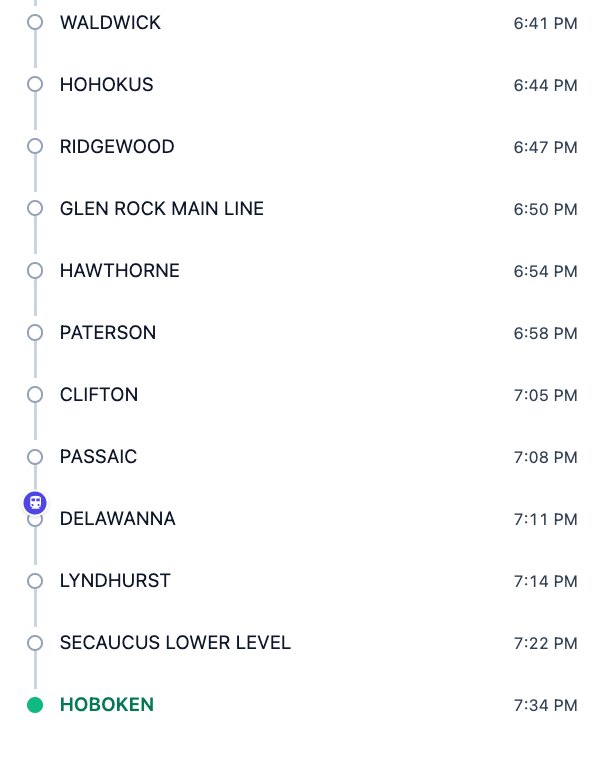
The one you'll use every day. Save the trips, station boards and bus stops you check, and the home screen counts each one down to the next departure and names the track — “in 7 min · Track 2” — before you've tapped anything. Drag them into the order you actually ride them.
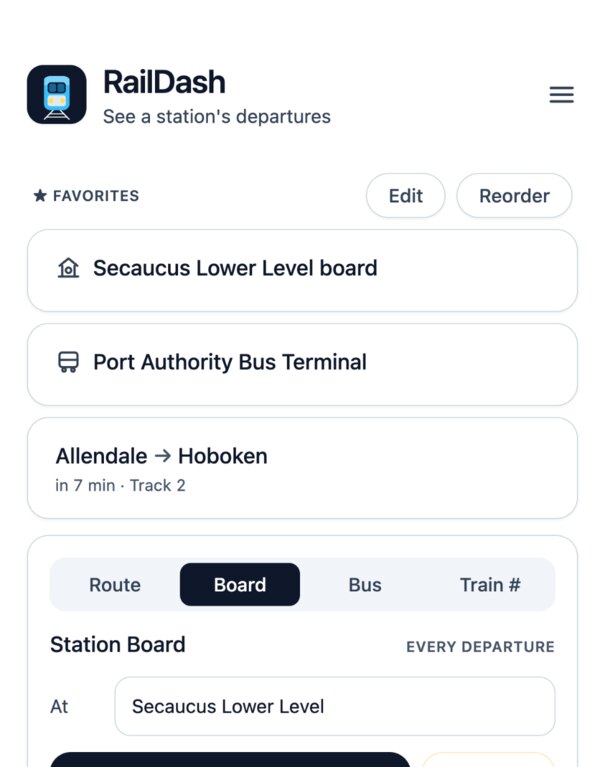
Real-time lateness, the departure track the moment NJ Transit posts it, whether it's a double-decker, and when each train gets you to your stop — all in the list, so you're never guessing on the platform.
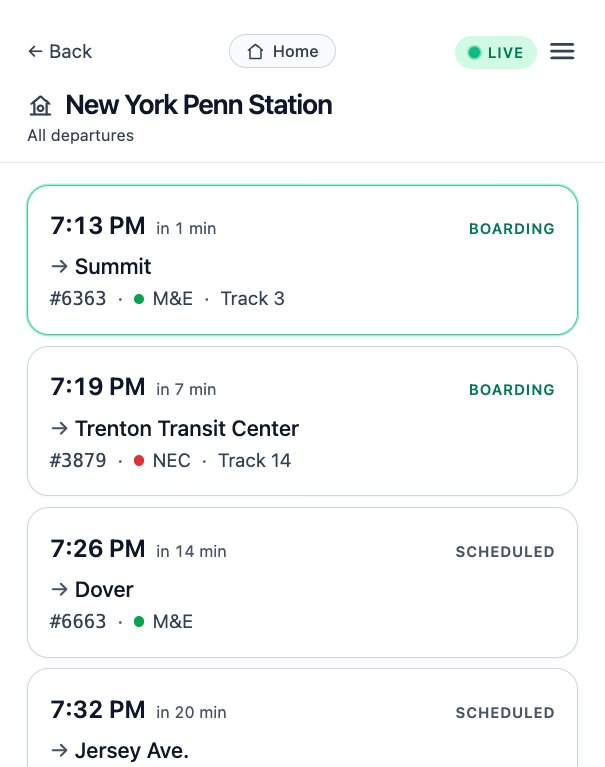
Just want to know what's leaving next? Pick any station and see every upcoming departure — all lines and destinations, with track and live status — like the big board on the concourse.
Say how long it takes you to reach your station — walking, driving, or getting dropped off — and RailDash works backwards from your train: “Leave by 7:34 for the 8:02 to Hoboken.” It never quietly slides later because the train is running late. That's how people miss trains.
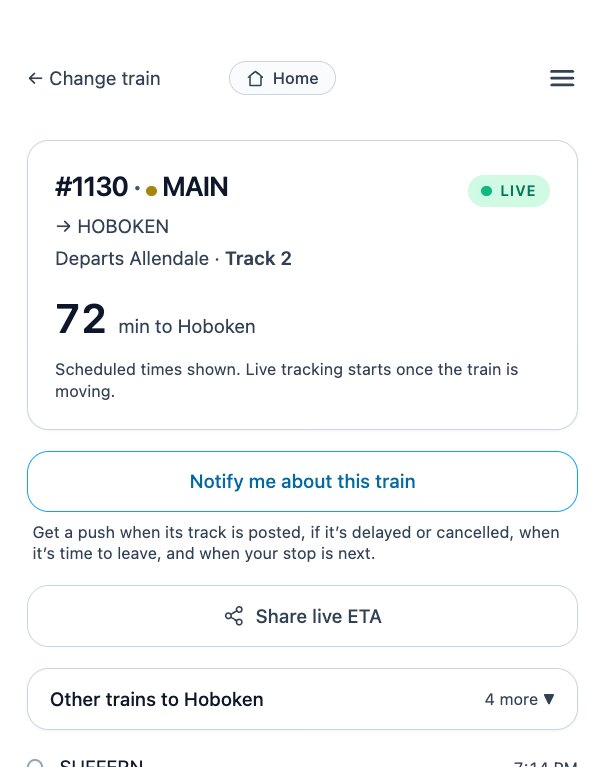
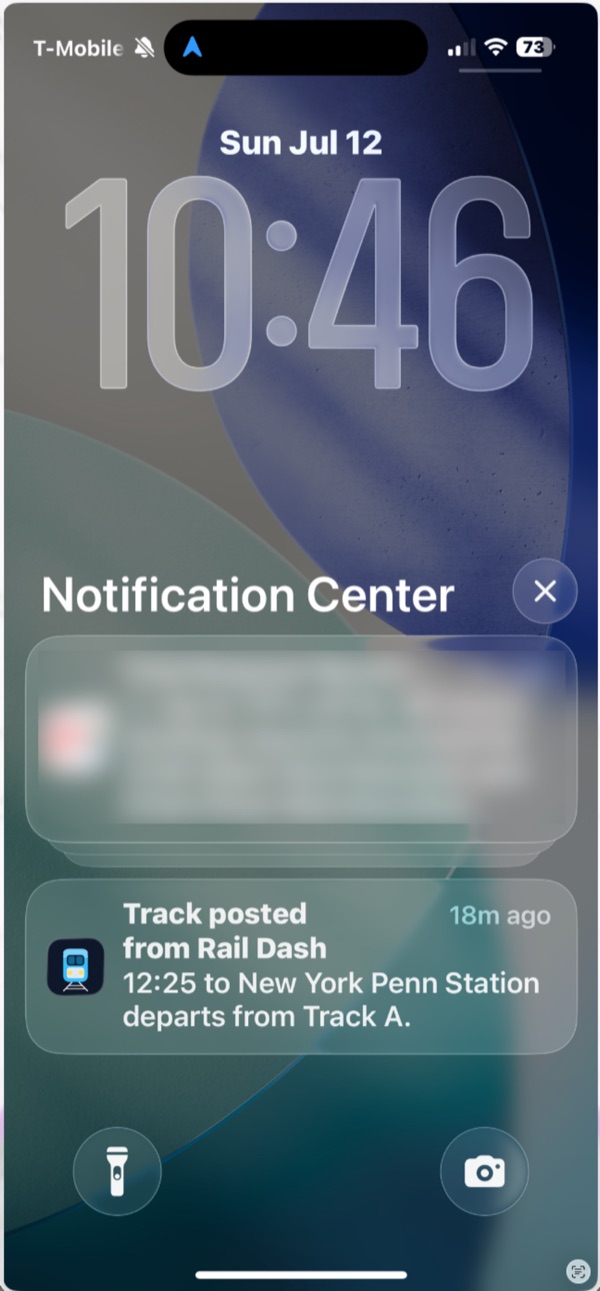
Opt in and get pushed the moment your track is posted — plus if your train is late or cancelled, and when your stop is coming up next. Even with the app closed.
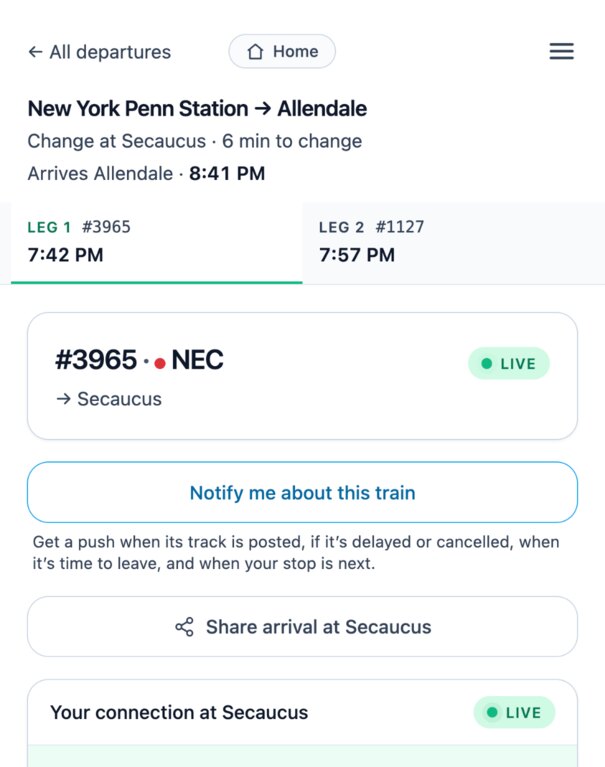
No one-seat ride? RailDash works out the connection and puts the whole journey on one screen — where you change, how long you've got, what time you actually get there, and a tab for each train so you can look at leg 2 before you've boarded leg 1.
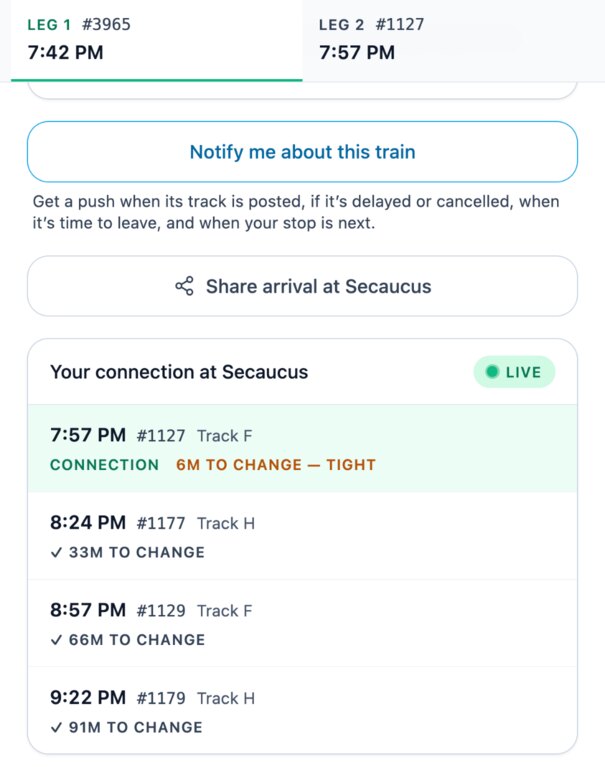
Your connection is tracked live on its own track number, and RailDash says plainly when the change looks too tight — then lists the trains after it, so you already know the fallback before you're standing on the platform at Secaucus.
Send whoever's collecting you a link to your live arrival. No app for them to install, no login, nothing to sign up for — and the link expires by itself.
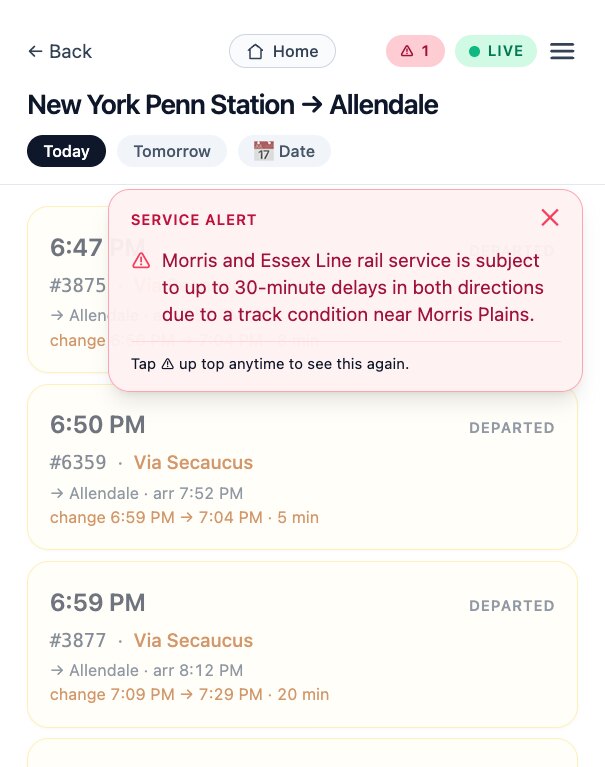
Real disruptions — track conditions, cancellations, adjusted schedules — surfaced right on the route you're looking at. The noise and marketing copy are filtered out.
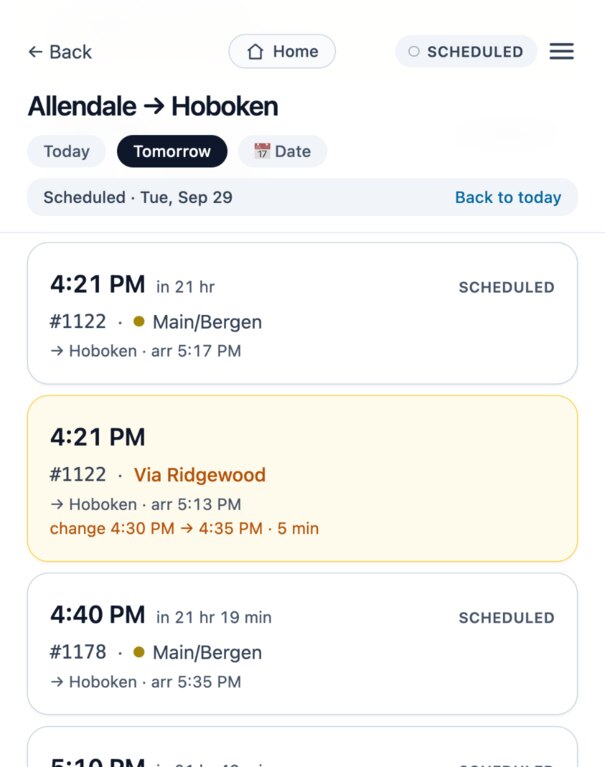
Not traveling today? Tap Tomorrow or pick any date up to about six months out and see that day's full timetable. You can even arm a delay or cancellation alert ahead of time — it stays quiet, then wakes up on the day of your trip.
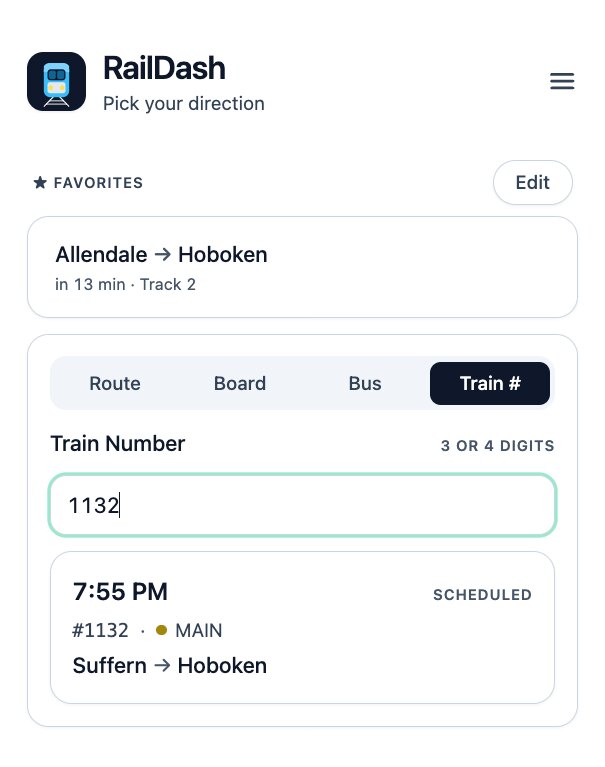
Heard “train 1132” over the PA, or that's all the text message said? Type the number and RailDash works out which run you mean, then tracks it.
One switch makes the whole app bigger and bolder — larger type, larger targets, stronger contrast — for reading a departure time on a dark platform without hunting for your glasses.
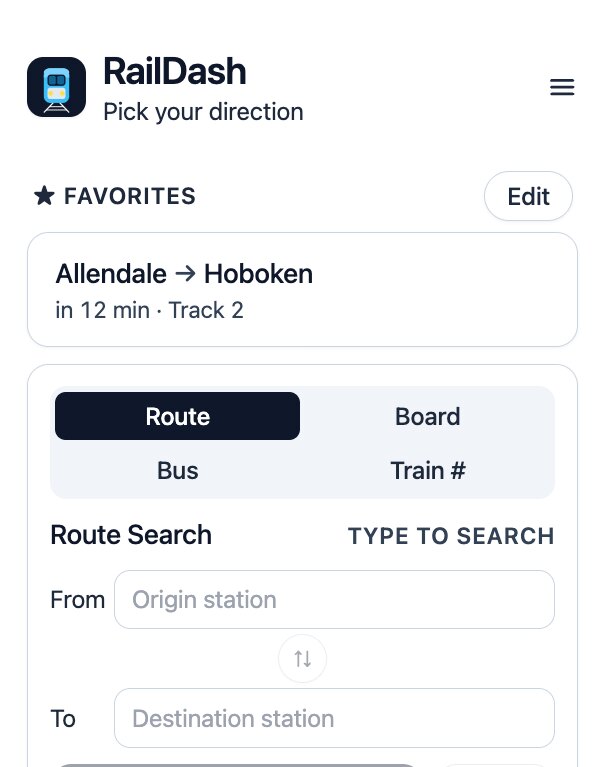
Every NJ Transit bus stop and route, in the same fast app — now with live bus times. See real-time delays and where your bus is on its route, with the full schedule always there too — clearly labeled, so you're never guessing.
Pick any of ~16,500 NJ Transit bus stops and see what's leaving next — every route, where it's headed, which gate, and when.
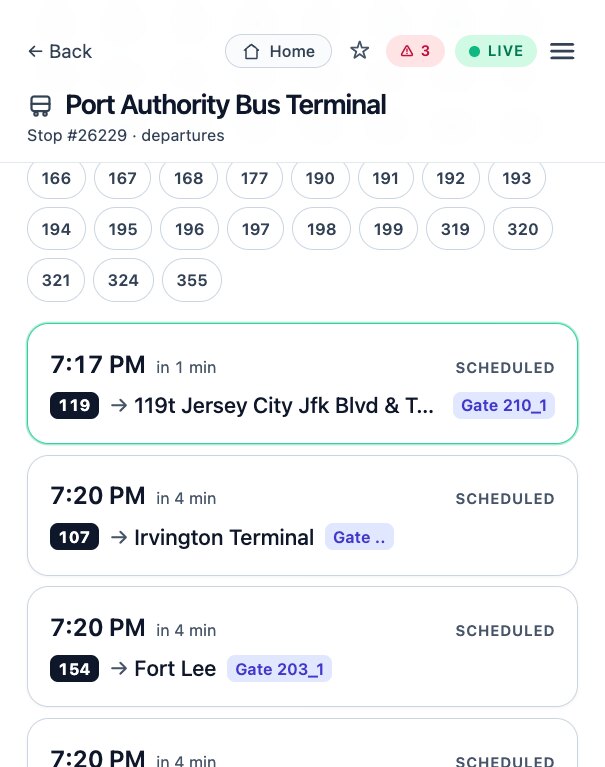
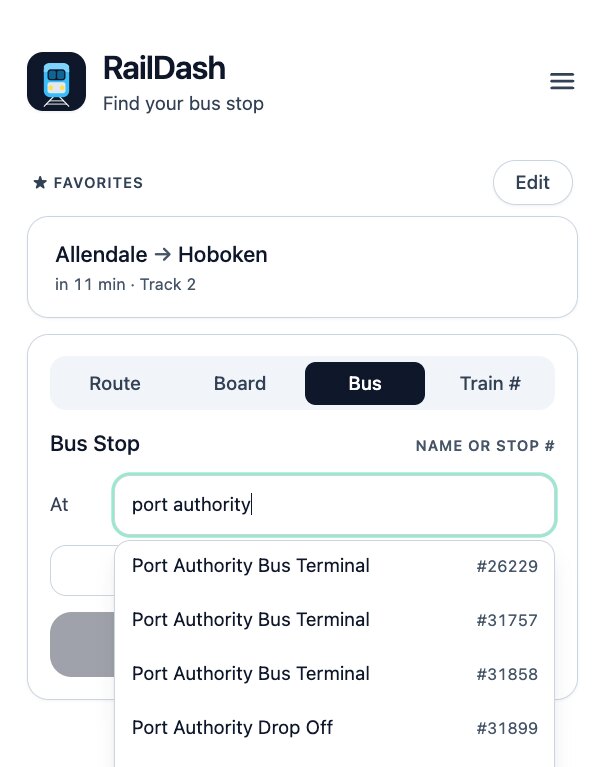
Search by name, type the stop number printed on the sign, tap Near me, or browse by route. However you think of your stop, it's a tap away.
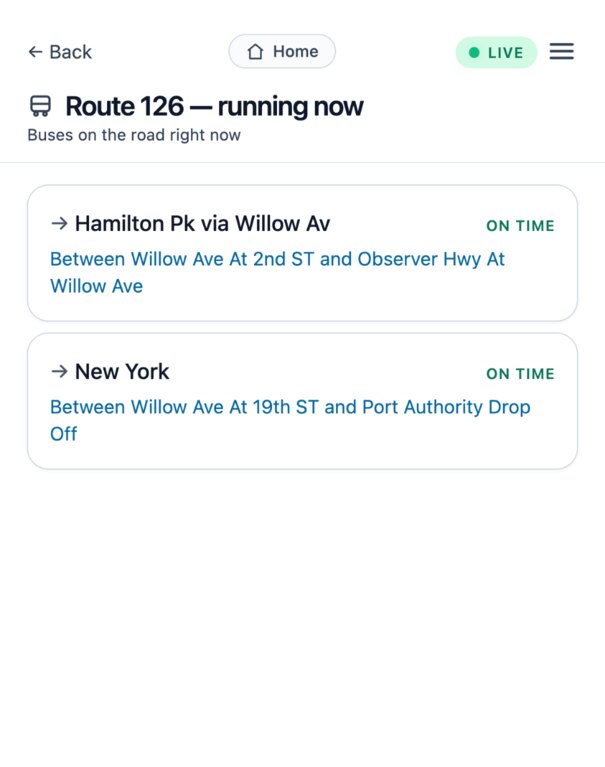
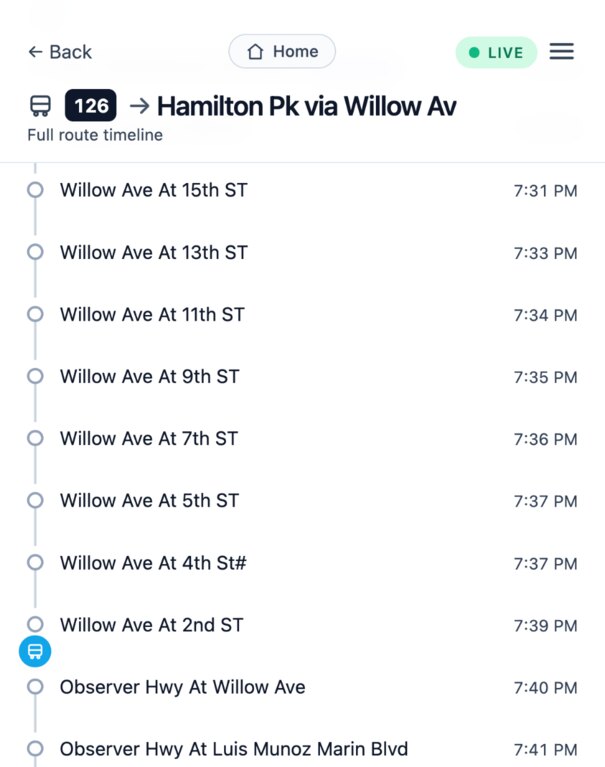
Pick a route and see the buses actually running it this minute, each one saying where it is — “between Willow Ave at 2nd St and Observer Hwy” — and whether it's on time.
Tap any bus to see it drawn on its own route, moving between stops, with the time it reaches each one — so you know exactly when it gets to you.
Star a stop for one-tap access. At a busy terminal like Port Authority, pin just the one route you ride and skip the other forty.
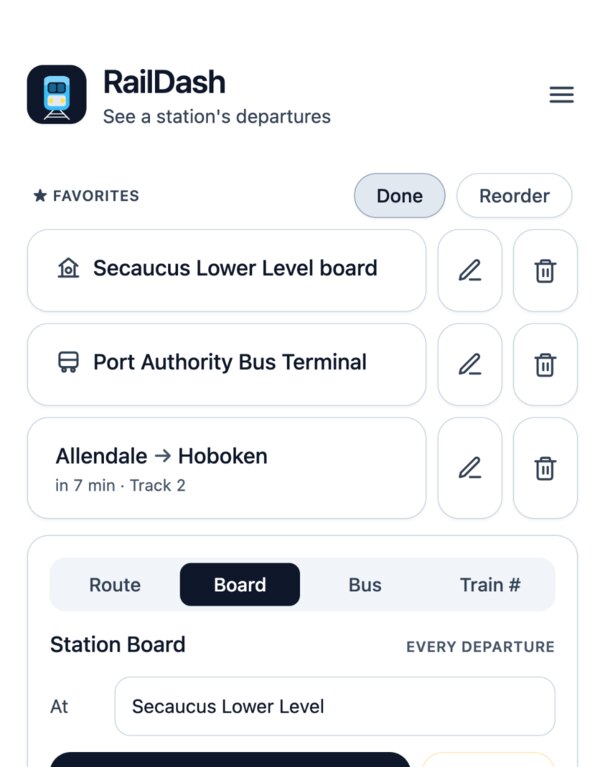
They used to live on one handset and nowhere else — a new phone, a reinstall, or signing in on a tablet meant starting from an empty list with no way to get the old one back. Now they're kept with your account.
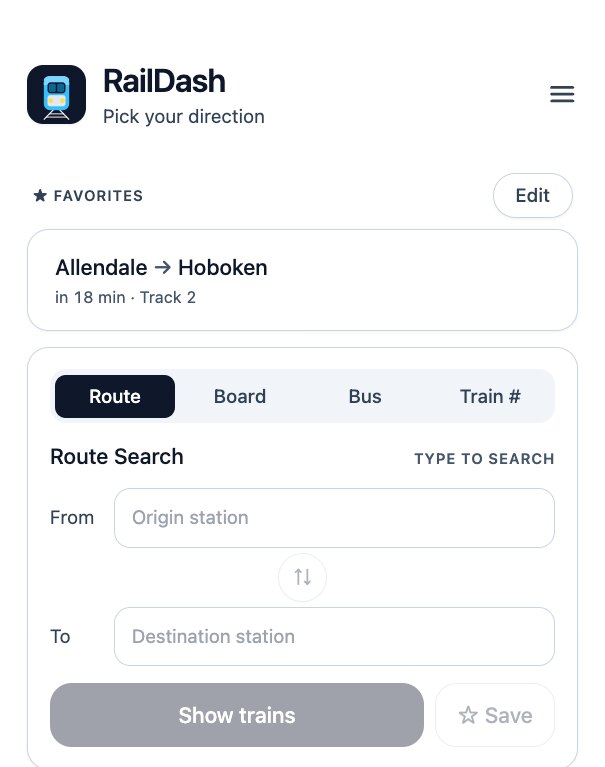
Jump straight to live NJ Transit departures, delays and schedules for any rail line, station or popular trip — plus statewide buses.
RailDash tells you everything about your train — but it can't sell you a ticket. There's a one-tap Buy tickets shortcut that drops you straight into the NJ Transit app, but you'll still pay there or at the station. And no, I sadly can't offer you a discount on your fare either. Believe me, I tried.
No app store. No password to remember. Just your email.
Head to raildash.app — on iPhone open it in Safari, on Android in Chrome.
On iPhone: tap Share, then Add to Home Screen . On Android: tap ⋮ → Install app. Runs full-screen and enables alerts.
Open RailDash from its new Home Screen icon.
Enter your email, pop in the 6-digit code, and you're in. No password, ever.
On Android, Chrome usually offers to install it for you — just tap the prompt.
Seriously. There's nothing to sell and no one to sell it to.